
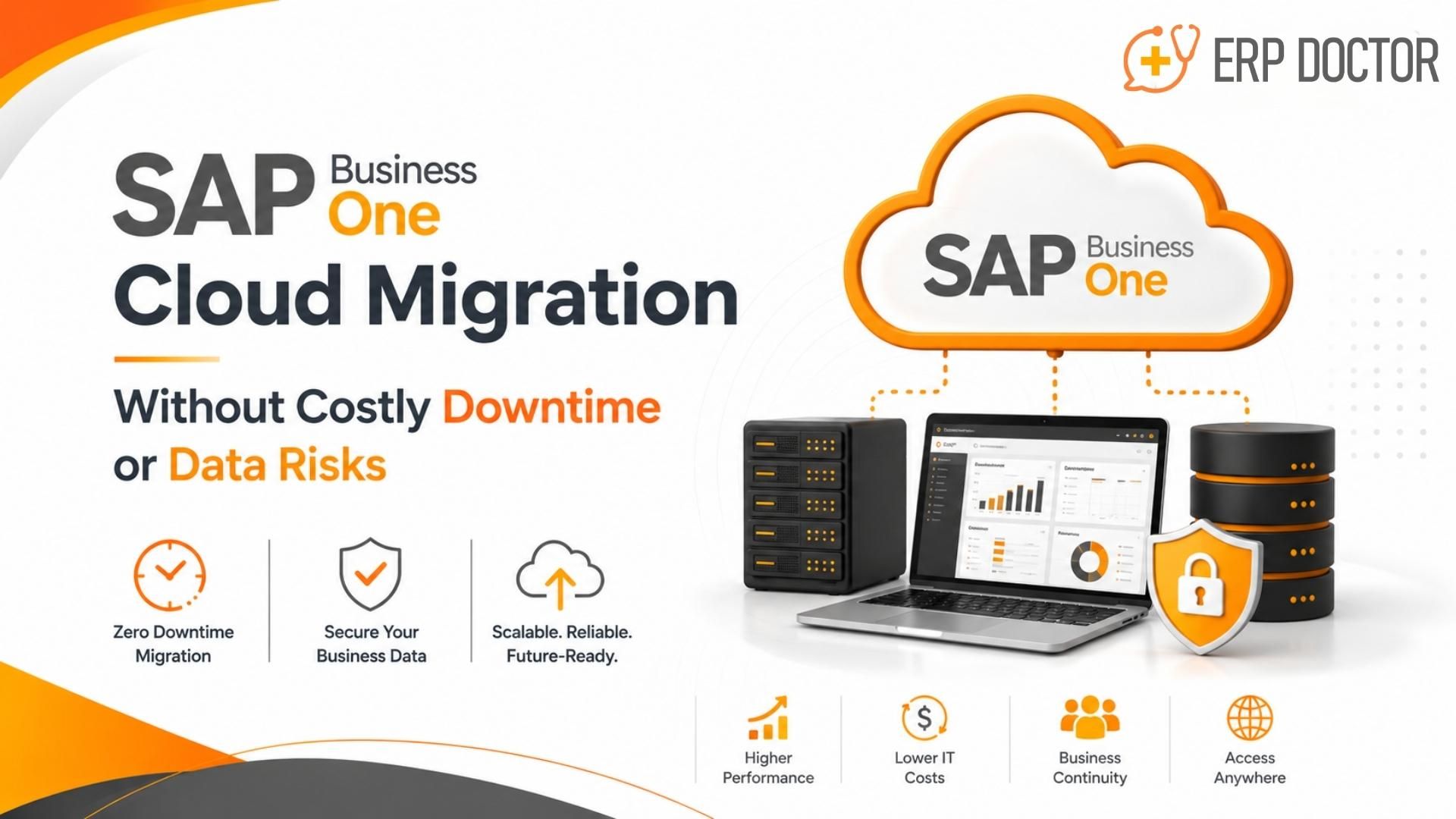
SAP Business One Cloud Migration Without Costly Downtime or Data Risks
SAP Business One Cloud Migration Supporting Business Continuity and Growth
Moving SAP Business One to the cloud is not merely an infrastructure change. It is a controlled business transition involving ERP data, users, add-ons, integrations, security controls, reporting and operational cutover.
A low-risk migration depends on five disciplines: a complete system assessment, a tested target architecture, verified backups, business-led acceptance testing and a cutover plan with clear rollback criteria. When these controls are in place, organizations can reduce planned downtime, protect data integrity and restore normal operations predictably.
This guide explains the practical decisions business and IT leaders should make before, during and after an SAP Business One Cloud Migration.
Direct answer
SAP Business One can be migrated to a cloud-hosted environment with limited planned downtime, but no responsible provider should promise zero interruption without first assessing database size, customizations, integrations, network readiness and the required cutover method.
SAP Business One Cloud Migration at a Glance
| Business concern | Required migration control | Expected outcome |
| ERP downtime | Rehearsed cutover, freeze window and rollback plan | A predictable interruption window and faster recovery |
| Data loss or corruption | Verified backups, checksum or consistency checks and reconciliation | Accurate financial, inventory and master data |
| Integration failure | Interface inventory and end-to-end testing | Continuity across CRM, e-commerce, warehouse and reporting systems |
| Poor user adoption | Role-based UAT, access validation and user communication | Faster stabilisation and fewer support tickets |
| Post-go-live performance | Workload sizing, network tests and monitoring | Responsive transactions and reporting |
Why Businesses Move SAP Business One to the Cloud
The strongest migration cases are tied to measurable operating priorities rather than broad cloud claims. Typical drivers include infrastructure renewal, remote access, resilience, expansion and the need to standardise support across locations.
Scalable capacity for growth
Cloud-hosted infrastructure can be resized as users, branches, databases and transaction volumes grow. This reduces dependence on periodic hardware refresh projects.
More resilient system architecture
A properly designed environment can use redundant components, tested backups and documented recovery procedures to reduce the impact of infrastructure failures.
Controlled remote access
Browser access or secured remote presentation services can extend SAP Business One access beyond a single office while maintaining authentication, authorisation and network controls.
Lower infrastructure administration burden
Hosting can shift server maintenance, monitoring, backup operations and infrastructure lifecycle activities to a specialist provider. Savings depend on the hosting model, service scope and existing internal costs.
A stronger platform for connected operations
A stable cloud environment can support reporting, e-commerce, warehouse, CRM and automation initiatives, provided each interface is validated for the target architecture.
What “Minimal Downtime” Should Mean
Minimal downtime is a planned, measured cutover window that the business has accepted. It is not an unqualified guarantee of zero downtime. The duration depends on database size, backup and restore speeds, upgrade requirements, add-ons, integrations, validation activities and the point at which the source system is frozen.
- A documented start and end time for the production freeze.
- A tested sequence for final backup, transfer, restore, configuration and validation.
- Named owners for every technical and business checkpoint.
- Predefined go/no-go and rollback criteria.
A communication plan for users, customers and operational teams where required.
Nine SAP Business One Cloud Migration Risks
1. Unplanned downtime
Poor scheduling, an unrehearsed sequence or slow data transfer can extend the outage. Run at least one representative rehearsal, measure each step and schedule the final cutover during the lowest practical transaction window.
2. Data loss or integrity issues
A backup is useful only when it can be restored and reconciled. Protect the application database, relevant repositories, shared folders, tenant or user storage and configuration artefacts. Validate balances, open documents, inventory quantities and critical master data after restore.
3. Unsupported migration or upgrade path
The current SAP Business One version, database platform and target release may require an intermediate upgrade. Confirm the supported path, patch level and compatibility of add-ons before the project schedule is approved.
4. Integration failure
Connection strings, certificates, ports, APIs, scheduled jobs and service accounts may change in the target environment. Build an interface register and test each upstream and downstream dependency.
5. Customization or add-on incompatibility
Third-party add-ons, formatted searches, extensions, reports and scripts can behave differently after a platform, version or network change. Obtain vendor compatibility confirmation and test business-critical functions.
6. Security misconfiguration
Cloud hosting does not automatically create a secure ERP landscape. Define authentication, privileged access, encryption, certificates, firewall rules, logging, backup protection and administrative responsibilities before go-live.
7. Performance degradation
Incorrect sizing, network latency or database configuration can slow transactions and reporting. Establish baseline measurements on the source system and compare them with target-environment tests.
8. Insufficient user acceptance testing
Technical availability does not prove that daily business processes work. Finance, sales, purchasing, inventory, production and management users should validate realistic scenarios and formally approve go-live.
9. Weak post-go-live support
Minor access, printing, reporting and integration issues often appear after users return. Plan a hypercare period with monitoring, rapid triage, ownership and escalation routes.
A Practical SAP Business One Cloud Migration Framework
1. Discovery and assessment
Inventory the SAP Business One version, database platform, database size, companies, users, licences, branches, add-ons, reports, integrations, scheduled jobs, certificates, printing, remote access and compliance requirements.
2. Target architecture and responsibility model
Define where the environment will run, how users will connect, which components require resilience, who owns operating-system, database, SAP, security, backup and recovery tasks, and how incidents will be escalated.
3. Compatibility and remediation
Confirm the supported migration or upgrade path. Resolve incompatible add-ons, obsolete integrations, database health issues, storage constraints and network risks before the production cutover.
4. Backup and recovery design
Set recovery point and recovery time objectives. Create a backup policy, protect all required repositories and configuration data, and perform a representative restore test.
5. Pilot migration
Restore or migrate a recent copy into the target environment. Configure SAP Business One services, access, certificates, licences, add-ons, printing and integrations.
6. Technical and business testing
Complete database checks, security tests, performance tests, interface tests and role-based UAT. Record defects, owners, severity and retest results.
7. Cutover rehearsal
Time the production-like sequence. Confirm the source freeze, final backup, transfer, restore, configuration, validation, rollback threshold and communications.
8. Production go-live
Execute the approved runbook. Business owners should validate critical balances, transactions, reports and interfaces before the environment is released to all users.
9. Hypercare and optimisation
Monitor availability, performance, backup completion, security events, integration queues and user issues. Close the project only after stability and acceptance criteria are met.
Poorly Planned Migration vs Controlled Migration
| Poorly planned migration | Controlled SAP Business One cloud migration |
| Scope limited to server movement | Business, SAP, database, integrations, users and security included in scope |
| Backup created but not restored | Backup and representative restore tested |
| Add-ons checked after go-live | Compatibility confirmed and tested before cutover |
| No measured cutover rehearsal | Runbook rehearsed and timed |
| Technical testing only | Business-led UAT and reconciliation |
| No explicit rollback threshold | Approved go/no-go and rollback criteria |
| Support arranged reactively | Hypercare, monitoring and escalation planned |
Business Outcomes from a Well-Executed Migration
Predictable operational interruption
A rehearsed migration produces an evidence-based cutover estimate and a faster return to normal processing.
Greater confidence in ERP data
Restore testing and reconciliation protect financial, inventory, customer, supplier and operational records.
Improved resilience
Redundant components, appropriate backup architecture and tested recovery procedures reduce infrastructure risk.
More flexible access
A secured access model supports authorized users across locations without tying the ERP system to one office server.
Simpler capacity planning
Compute and storage can be adjusted without a conventional server replacement project.
Reduced internal infrastructure workload
A managed hosting model can transfer routine platform operations to a specialist team, subject to the agreed service scope.
Stronger support for expansion
A standardised environment can make it easier to add users, locations and connected applications.
How to Choose an SAP Business One Cloud Migration Partner
The partner should be evaluated on migration governance, SAP Business One expertise and operational accountability—not only on hosting price. Ask for evidence of how the provider controls cutover, protects data and manages post-go-live incidents.
- SAP Business One expertise across the relevant database platform and release.
- A documented assessment, pilot, testing, cutover and hyper care methodology.
- Clear responsibility boundaries for SAP, database, infrastructure, security and backups.
- Experience with add-ons, integrations and industry-specific processes.
- Backup, restore and disaster-recovery testing procedures.
- Security controls covering identity, privileged access, encryption, logging and patching.
- Performance sizing and monitoring based on actual workloads.
- Named support ownership, service levels and escalation paths.
- References or comparable migration experience.
Why Emerging Alliance
Emerging Alliance approaches SAP Business One Cloud Migration as a business-continuity project. The engagement can cover landscape assessment, migration-path validation, target infrastructure planning, data protection, add-on and integration testing, user acceptance, production cutover and post-go-live support.
The objective is to give business leaders a controlled migration plan with explicit risks, responsibilities, validation points and support arrangements. Service scope, hosting architecture, recovery objectives and security responsibilities should be documented for each customer environment rather than assumed.
Conclusion
SAP Business One Cloud Migration can improve resilience, access and scalability, but the business case is realised only when migration risk is controlled. The essential controls are a complete assessment, a supported technical path, verified backups, comprehensive testing, a rehearsed cutover and accountable post-go-live support.
Organisations should treat downtime, data integrity, integration continuity and recovery as measurable acceptance criteria. That approach turns a server move into a controlled transition that protects daily operations and supports future growth.
Frequently Asked Questions
How can SAP Business One Cloud Migration reduce downtime?
Downtime is reduced by moving assessment, target configuration, pilot migration, compatibility testing and user acceptance ahead of the production cutover. The final runbook should be rehearsed and timed. The business then approves a defined freeze window, validation sequence and rollback threshold rather than relying on an untested estimate.
Can SAP Business One be migrated with zero downtime?
A provider should not promise zero downtime without a detailed technical assessment. Most projects require at least a controlled production freeze for the final backup, restore or migration, configuration and validation. The objective is limited, predictable planned downtime with a tested recovery option.
How is SAP Business One data protected during migration?
Protection should include complete backups of the database and required application repositories, secure transfer, consistency checks, a representative restore test and post-migration reconciliation. Finance, inventory, open documents, master data and critical reports should be validated before users resume normal processing.
How long does SAP Business One Cloud Migration take?
The full project may take several weeks, but the production outage is usually only one stage of that timeline. Duration depends on the source version, database platform and size, target architecture, upgrade path, add-ons, integrations, testing scope, user availability and cutover method.
What must be assessed before migration?
The assessment should document versions, database health and size, companies, users, licences, branches, customisations, add-ons, reports, integrations, scheduled jobs, certificates, printers, remote access, compliance needs, backup requirements, recovery objectives and network performance.
Do SAP Business One add-ons need retesting?
Yes. Add-ons may depend on a specific SAP release, database platform, operating system, service, port, certificate, file path or network configuration. Obtain compatibility confirmation from the vendor and test each critical scenario in the target environment before go-live.
How should integrations be handled?
Create an interface register covering systems, owners, direction of data flow, authentication, endpoints, schedules and failure handling. Test upstream and downstream transactions, reconciliations and exception queues. Integrations should be approved before production release and monitored during hypercare.
What security controls are required?
Controls normally include identity and access management, privileged-administrator restrictions, strong authentication, encryption, certificate management, network segmentation, firewall rules, logging, patching, backup protection and a clear responsibility model across the customer, SAP partner and hosting provider.
What happens after go-live?
A hypercare period should monitor availability, response time, database health, backup completion, security events, integrations and user incidents. The team should tune the environment, resolve defects, document changes and confirm that acceptance criteria are met before moving to normal support.
How does cloud migration support business growth?
A well-designed hosted environment can make it easier to add capacity, users and locations while standardising access, monitoring and support. Growth benefits depend on correct sizing, licensing, network design, integration architecture and the service levels agreed with the hosting and SAP support partners.
Ready to Assess Your SAP Business One Cloud Migration?
Book a SAP Business One Cloud Migration consultation with Emerging Alliance to review your current environment, identify migration and integration risks, estimate the cutover requirements and define a practical migration roadmap.
Warning: Trying to access array offset on value of type null in /home/u231991539/domains/erpdoctor.in/public_html/wp-content/plugins/wpforms/includes/class-frontend.php on line 109