
SAP Business One Modules: Key Functions and Business Value
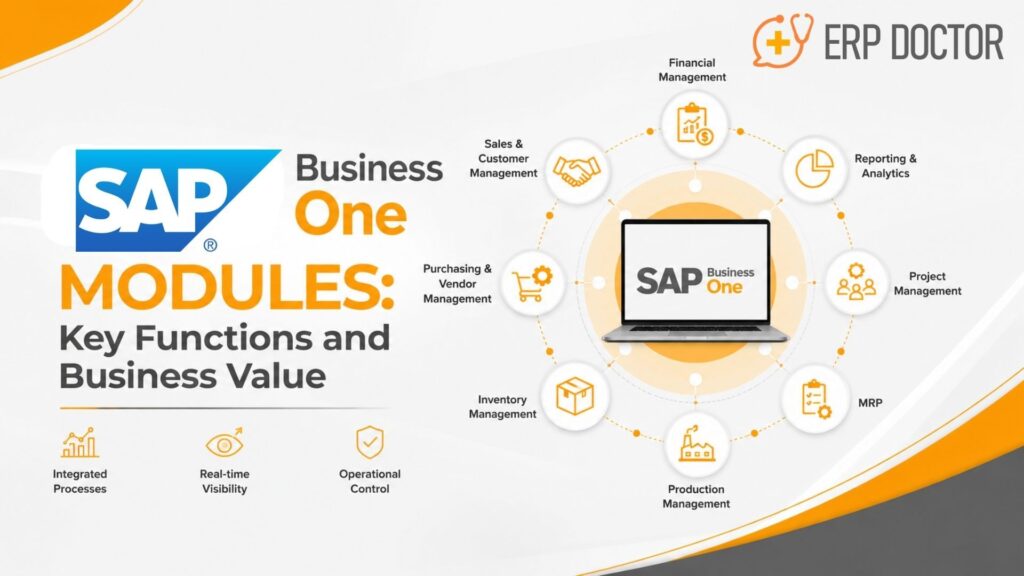
SAP Business One Modules for Integrated Processes, Visibility, and Operational Control
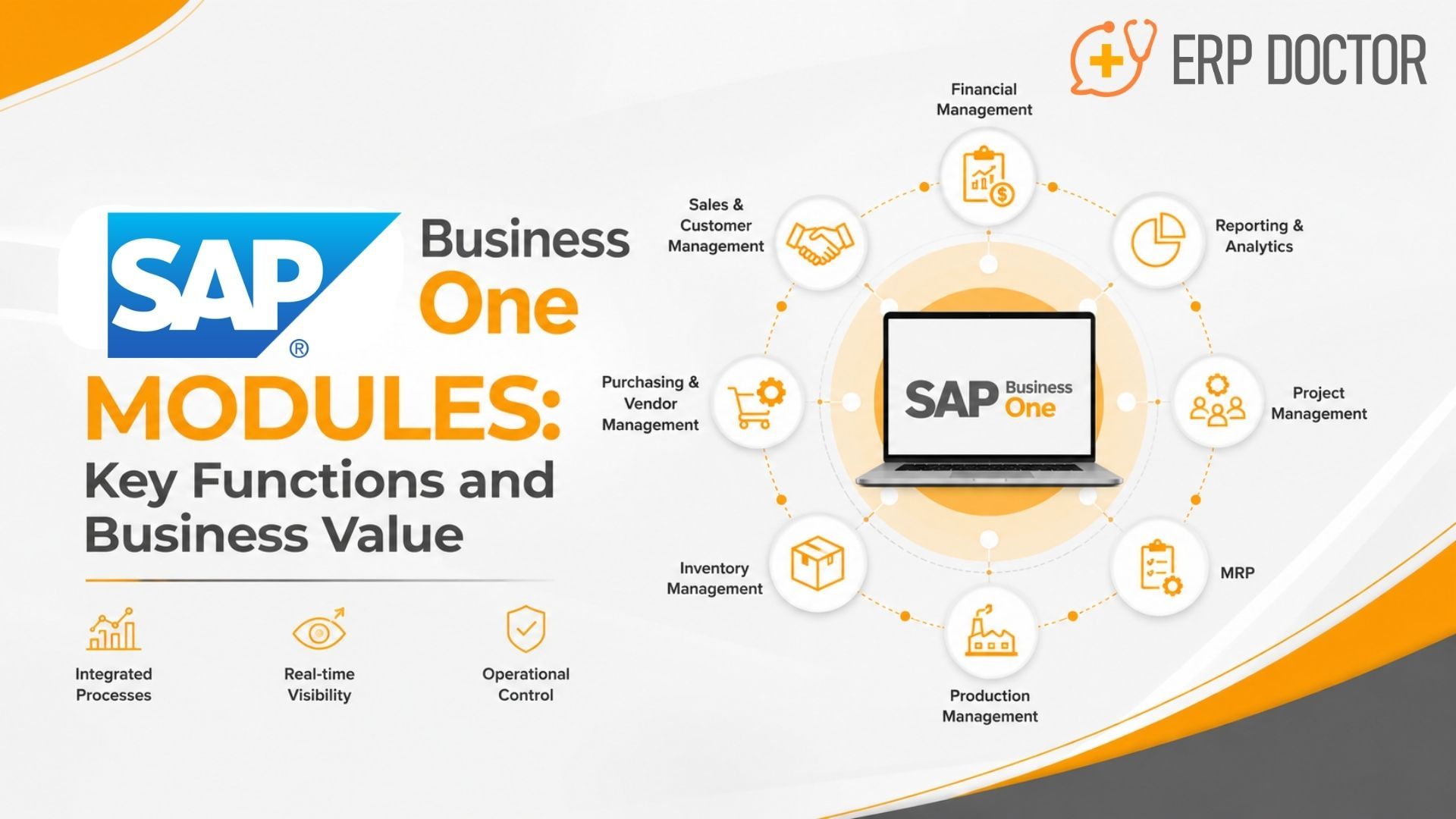
SAP Business One modules are integrated functional areas used to manage core business processes such as finance, sales, purchasing, inventory, production, MRP, service, banking, customer and supplier information, and reporting.
Their real business value comes from integration. Instead of departments maintaining disconnected records, SAP Business One allows transactions and master data to move through connected workflows. This gives management better visibility into operational activity, financial impact, inventory movements, customer demand, procurement requirements, and business performance.
What Are the Main SAP Business One Modules?
The major SAP Business One functional areas include:
- Financial Management
- Sales and CRM
- Purchasing and Procurement
- Business Partner Management
- Banking
- Inventory and Warehouse Management
- Production
- Material Requirements Planning (MRP)
- Service Management
- Reporting and Analytics
- Employee and Human Resources information
The functionality a company actually needs depends on its industry, operating model, transaction complexity, locations, reporting requirements, integrations, and growth plans.
The important ERP decision is therefore not simply which SAP Business One modules are available.
It is:
Which modules need to work together to solve the operational problems your business is facing?
Why Integrated SAP Business One Modules Matter
Growing companies rarely struggle because they lack software.
The larger problem is often that individual systems do not communicate effectively.
Sales teams may have customer orders in one application. Purchasing may manage suppliers elsewhere. Warehouse teams may maintain separate stock records. Finance may depend on spreadsheets and manual reconciliation before management receives a consolidated view.
As the business expands, these gaps become harder to manage.
More customers, products, warehouses, suppliers, employees, transactions, and locations can increase:
- Duplicate data entry
- Reporting delays
- Inventory inconsistencies
- Manual reconciliation
- Procurement errors
- Order-processing delays
- Departmental data silos
- Difficulty tracing transactions
- Dependence on spreadsheets
SAP Business One brings multiple operating functions into a common ERP environment.
The result is not merely centralized software. Properly configured modules allow information created in one business process to support subsequent operational and financial activities.
For example:
Sales Order → Inventory Availability → Purchasing or Production → Delivery → Invoice → Payment → Financial Reporting
That connected process is where the business value of SAP Business One becomes more significant.
SAP Business One Financial Management
Financial management provides the accounting and control foundation of SAP Business One.
Organizations can use it to manage areas such as:
- General ledger
- Accounts receivable
- Accounts payable
- Journal entries
- Budgeting
- Financial reporting
- Account balances
- Financial transactions
The important advantage for a CFO is that financial information can remain connected to the operational activities creating it.
A customer invoice, for example, is not simply an accounting entry.
It may originate from:
Customer → Sales Order → Delivery → Invoice → Accounts Receivable → Payment
Purchasing creates another connected financial flow:
Supplier → Purchase Order → Goods Receipt → Supplier Invoice → Accounts Payable → Payment
This provides management with greater transaction context than an isolated accounting system.
Finance teams can investigate the underlying commercial or operational activity instead of reconstructing transaction histories manually from multiple applications.
However, ERP software alone does not guarantee strong financial control.
Organizations still require appropriate:
- Chart-of-accounts design
- Approval controls
- Tax configuration
- Reconciliation procedures
- User permissions
- Master-data governance
- Accounting discipline
Business value for executives
Connected financial management can support:
- Better receivables visibility
- Better payables visibility
- Faster financial analysis
- Improved transaction traceability
- More consistent financial data
- Stronger management reporting
SAP Business One Sales and CRM
Sales activity creates demand that inventory, procurement, production, logistics, and finance must eventually support.
SAP Business One sales and CRM functionality can help manage:
- Leads
- Opportunities
- Customer information
- Sales activities
- Quotations
- Sales orders
- Deliveries
- Customer invoices
The value lies in connecting customer demand with operational execution.
Imagine that a customer places an order.
The sales team needs more than the order value.
The organization may also need to determine:
- Is sufficient inventory available?
- Which warehouse holds the stock?
- Does purchasing need to replenish the item?
- Does production need to manufacture it?
- When can the customer realistically receive it?
- What revenue and receivables will the transaction create?
Connecting those questions inside the ERP reduces the need to coordinate through multiple spreadsheets and applications.
For CEOs and COOs, this can provide a clearer view of how customer demand affects operations.
For sales teams, it creates stronger continuity between customer interactions and actual order fulfilment.
SAP Business One CRM vs. specialized CRM platforms
SAP Business One includes customer and sales-management functionality, but companies should not automatically assume it replaces every specialized CRM platform.
The correct evaluation is based on requirements.
Organizations with advanced marketing automation, complex enterprise sales processes, highly specialized customer journeys, or large-scale omnichannel requirements may still require integrations with dedicated CRM platforms.
SAP Business One Purchasing and Procurement
Procurement affects inventory availability, customer fulfilment, supplier relationships, costs, and working capital.
SAP Business One purchasing functionality supports processes such as:
- Supplier management
- Purchase orders
- Goods receipts
- Purchasing documents
- Supplier invoices
- Accounts payable-related transactions
Consider a distributor receiving an order for an item with insufficient inventory.
Instead of sales discovering the shortage after promising a delivery date, inventory information can indicate availability earlier in the process.
Purchasing can then respond to the requirement.
A simplified workflow becomes:
Customer Demand → Stock Requirement → Purchase Order → Goods Receipt → Inventory → Supplier Invoice
That connection allows purchasing decisions to be viewed in the broader context of demand and inventory.
Business value
More connected procurement can support:
- Better purchasing visibility
- Improved supplier transaction tracking
- More informed replenishment
- Greater visibility into commitments
- Stronger connection between procurement and payables
The quality of the result still depends on accurate supplier records, lead times, item data, approval workflows, and disciplined transaction processing.
SAP Business One Inventory and Warehouse Management
Inventory represents both an operational asset and invested working capital.
Incorrect inventory information affects more than warehouse teams.
It can influence:
- Sales commitments
- Procurement decisions
- Production planning
- Customer fulfilment
- Cash utilization
- Financial reporting
SAP Business One inventory capabilities support areas including:
- Item master data
- Goods receipts
- Goods issues
- Stock transfers
- Inventory counts
- Price lists
- Pick-and-pack processes
- Warehouse inventory
- Batch tracking
- Serial-number tracking
For businesses managing multiple warehouses or large numbers of SKUs, reliable inventory visibility becomes increasingly important.
Sales needs to understand what can be promised.
Purchasing needs to understand what must be replenished.
Production needs accurate material availability.
Finance needs dependable inventory information for working-capital and financial analysis.
This makes inventory a shared business information layer rather than merely a warehouse function.
Batch and serial tracking
Organizations dealing with products that require traceability may use batch or serial tracking according to their implementation requirements.
This can be particularly relevant in industries where businesses need stronger visibility into specific products, batches, components, or serialized assets.
The tracking model should be designed around actual operational and regulatory requirements rather than assumed to be identical across every industry.
SAP Business One Production
Manufacturing businesses introduce another layer of dependency between sales demand, raw materials, production capacity, procurement, inventory, and finished goods.
SAP Business One Production supports areas such as:
- Bills of materials
- Production orders
- Component requirements
- Material consumption
- Finished-goods receipt
- Production-related costing
A bill of materials defines the components required to manufacture or assemble a product.
Production orders can then guide how those components are consumed and how finished products are received into inventory.
A simplified production process could look like:
Demand → Material Requirement → Production Order → Component Issue → Production → Finished Goods Receipt
This creates better continuity between manufacturing activity and inventory records.
Is SAP Business One suitable for every manufacturing environment?
Not automatically.
SAP positions the Production module as a foundation for light manufacturing.
Businesses with sophisticated production environments should therefore evaluate detailed requirements such as:
- Advanced scheduling
- Complex routing
- Capacity planning
- Shop-floor requirements
- Specialized costing
- Quality processes
- Industry-specific production controls
- Machine integration
Where standard functionality does not meet the full requirement, integrations or industry-specific extensions may need to be considered.
SAP Business One Material Requirements Planning
Material Requirements Planning helps manufacturers and product-based businesses determine what materials need to be purchased or produced to meet demand.
SAP Business One MRP can evaluate inputs including:
- Existing inventory
- Sales orders
- Purchase orders
- Production orders
- Forecasts
- Bills of materials
- Lead times
- Planning rules
The system can then generate recommendations for meeting material requirements.
The business question changes from:
“What should we purchase today?”
to:
“What will we need based on current demand, supply, inventory, and planning conditions?”
That distinction becomes increasingly important as the number of products and dependencies grows.
MRP can help procurement and manufacturing teams plan around actual demand signals rather than relying entirely on manual calculations.
However, planning recommendations are only as reliable as the underlying information.
Incorrect lead times, inaccurate inventory, outdated bills of materials, poor forecasts, or incomplete transaction records can weaken planning quality.
SAP Business One Service Management
The business relationship often continues after a sale has been completed.
Service teams may need access to information concerning:
- Customers
- Service calls
- Service contracts
- Serial-numbered products
- Customer equipment
- Warranty-related information
- Complaints and inquiries
- Service history
SAP Business One service functionality can help connect these activities with existing customer and transaction information.
Instead of maintaining an isolated after-sales database, service activity can remain associated with the broader customer relationship.
For management, this improves visibility into:
- Customer service requirements
- Recurring issues
- Open service activity
- Customer commitments
- Equipment history
- Service workload
This can be particularly useful for companies selling equipment or products that require ongoing support.
SAP Business One Business Partner Management
Business partner data is a foundational component of SAP Business One.
Customers, suppliers, and leads can be maintained with information used throughout multiple processes.
This may include:
- Contact information
- Addresses
- Payment information
- Logistics details
- Accounting information
- Tax-related data
- Customer or supplier details
The same customer information may be used by sales, finance, and service.
Supplier information may support procurement and accounts payable.
Maintaining shared master data helps reduce unnecessary duplication and improves consistency between transactions.
This makes master-data governance an important part of SAP Business One implementation.
If customer, supplier, item, or pricing information is inaccurate, integration can distribute those errors more efficiently.
Data quality should therefore be treated as an ERP governance issue rather than only an IT issue.
SAP Business One Banking and Payment Processes
Banking connects operational transactions with actual cash movement.
SAP Business One provides functionality around areas such as:
- Incoming payments
- Outgoing payments
- Bank-related transactions
- Reconciliation
- Customer balances
- Supplier balances
For CFOs and finance teams, the advantage comes from connecting payments and balances with the transactions that created them.
For example:
Customer Invoice → Accounts Receivable → Customer Payment → Reconciliation
or:
Supplier Invoice → Accounts Payable → Supplier Payment → Reconciliation
This can provide clearer visibility into outstanding obligations and financial transactions.
The exact banking processes available can depend on localization, banking arrangements, integrations, and implementation design.
SAP Business One Reporting and Analytics
ERP data becomes strategically useful when decision-makers can interpret it.
SAP Business One provides reporting capabilities across financial and operational areas.
Depending on the environment and configuration, organizations can use reports and analytical tools to evaluate areas such as:
- Sales
- Purchasing
- Inventory
- Customer activity
- Financial performance
- Budgets
- Production
- Business operations
The most important requirement is not the dashboard itself.
It is the reliability of the information beneath it.
If sales, purchasing, inventory, and finance maintain inconsistent records, visualizing those records does not automatically improve decision-making.
When data is properly governed, reporting becomes more useful.
A CFO may analyze financial performance alongside transactional activity.
A COO may investigate inventory and procurement conditions.
A CEO may review revenue, costs, inventory, cash, and operational indicators without waiting for several departments to manually consolidate spreadsheets.
How SAP Business One Modules Work Together
The strongest business case for SAP Business One appears when an organization evaluates complete workflows rather than individual screens.
Order-to-cash example
Consider a distributor receiving a customer order.
Quotation → Sales Order → Inventory Check → Delivery → Invoice → Payment → Reporting
The quotation captures the commercial offer.
Once confirmed, the sales order records customer demand.
Inventory determines whether the requested products are available.
If sufficient stock exists, goods can progress toward delivery.
The customer invoice creates the receivable.
Payment and reconciliation complete the financial side of the transaction.
Management can then analyze the commercial and financial outcome.
Procure-to-pay example
A purchasing workflow may follow:
Purchase Requirement → Purchase Order → Goods Receipt → Inventory Update → Supplier Invoice → Payment
The purchase order records the intended procurement.
Goods receipt records what physically arrives.
Inventory is updated.
The supplier invoice creates the payable.
Payment completes the financial obligation.
Manufacturing example
For a manufacturing company, the process may involve:
Customer Demand → MRP → Material Requirement → Purchasing → Production → Finished Inventory → Delivery
The value of integration is therefore not the number of modules available.
It is the continuity between the events occurring across the business.
Business Value of Integrated SAP Business One Modules
When implementation, data quality, and process design are strong, integrated SAP Business One modules can support several business outcomes.
Better operational visibility
Management can obtain a clearer view of activity across sales, procurement, inventory, production, service, and finance.
More consistent business data
Shared customer, supplier, item, and transaction information can reduce repeated manual entry across disconnected systems.
Stronger transaction traceability
Business documents can be followed through related operational and financial processes.
Improved inventory decision-making
More dependable inventory information can support purchasing, sales commitments, production planning, and working-capital decisions.
Better financial visibility
Operational activities can remain connected to receivables, payables, inventory values, payments, and accounting records.
Faster management reporting
Executives can rely less on departments manually combining spreadsheets before reviewing business performance.
More standardized processes
Defined ERP workflows can help organizations reduce dependence on informal processes that become difficult to manage as transaction volumes grow.
Greater scalability
A common operating system can make growth easier to manage than continuously adding independent spreadsheets and departmental applications.
These outcomes are not automatic.
They depend heavily on:
- Implementation quality
- Data migration
- Business-process design
- User adoption
- Governance
- Integrations
- Configuration
- Training
- Management discipline
Which SAP Business One Modules Does Your Business Need?
There is no universal module combination suitable for every organization.
ERP scope should follow the operating model.
Distribution companies
A distributor may prioritize:
- Financial management
- Sales
- Purchasing
- Inventory
- Warehouse processes
- Business partner management
- Reporting
Businesses with several warehouses may also require deeper attention to transfers, traceability, stock visibility, and replenishment.
Manufacturing companies
Manufacturers commonly evaluate:
- Finance
- Purchasing
- Inventory
- Bills of materials
- Production
- MRP
- Reporting
- Traceability requirements
Manufacturing complexity should be assessed carefully before implementation scope is finalized.
Service-focused companies
Service-oriented businesses may place greater emphasis on:
- Finance
- Customer records
- CRM
- Service management
- Contracts
- Activities
- Billing
- Reporting
Multi-location growing businesses
Organizations expanding across locations should also evaluate:
- Warehouse structure
- User permissions
- Reporting consolidation
- Currency requirements
- Localization
- Tax requirements
- Integrations
- Intercompany processes where applicable
The scope should reflect both current operational requirements and planned growth.
Standard Modules, Add-Ons, or Integrations?
One of the most important implementation decisions is determining how each requirement should be addressed.
A requirement may be handled through:
- Standard SAP Business One functionality
- Configuration
- An SAP Business One add-on
- Integration with another application
- Custom development
Standard functionality should normally be evaluated first.
Adding unnecessary customization can increase implementation complexity and future support requirements.
At the same time, forcing a highly specialized business process into unsuitable standard functionality can create operational problems.
The objective should be the simplest architecture that satisfies the business requirement reliably.
What Executives Should Evaluate Before Implementation
Choosing SAP Business One is only part of the ERP decision.
Implementation determines whether the software actually supports the operating model.
Business-process fit
Can the proposed solution support how your organization sells, purchases, stores, manufactures, services, and accounts today?
Where will processes need to change?
Data migration
Determine how existing:
- Customer records
- Supplier records
- Item data
- Inventory
- Financial balances
- Pricing
- Historical information
will be cleaned, mapped, validated, and transferred.
Poor-quality migration can undermine an otherwise strong ERP project.
Integrations
Identify every system that must exchange information with SAP Business One.
Examples may include:
- E-commerce systems
- CRM platforms
- Payroll
- Banking
- Warehouse applications
- Manufacturing systems
- Business intelligence platforms
- Industry-specific software
Roles and authorizations
Executives should understand who can:
- Create transactions
- Change transactions
- Approve transactions
- View sensitive information
- Process payments
- Modify master data
User roles should reflect business responsibilities and control requirements.
Reporting
Define management information before implementation.
Ask:
- Which KPIs are essential?
- Which reports are currently manual?
- Which reports should be available daily?
- Which dashboards does management need?
- Which reports are required for finance and compliance?
Localization
Country-specific requirements can affect areas such as:
- Tax
- Accounting
- Currency
- Statutory reporting
- Banking
- Electronic invoicing
Localization requirements should be identified early rather than discovered during deployment.
Add-ons
Identify which requirements can be supported using standard functionality and where extensions genuinely add business value.
Training and adoption
A technically correct ERP configuration can still fail if employees do not understand the process.
Training should therefore cover not only which buttons users must select, but also:
- Why the process exists
- Which data must be entered
- When transactions must be recorded
- Who owns each step
- What happens when information is incorrect
Why the SAP Business One Implementation Partner Matters
ERP implementation requires more than installing software.
A capable SAP Business One partner should translate business requirements into an appropriate system design.
That work may include:
- Business-process discovery
- Solution architecture
- Module configuration
- Data migration
- Integration planning
- Add-on evaluation
- Authorization design
- Testing
- User training
- Go-live support
- Ongoing optimization
The quality of process discovery is particularly important.
An implementation partner should be able to discuss your sales, purchasing, inventory, manufacturing, service, and financial workflows in business terms.
During an SAP Business One demonstration, avoid evaluating the solution only by viewing menus or individual screens.
Instead, ask the partner to demonstrate one of your actual business processes from beginning to end.
For example:
Customer Order → Inventory → Procurement → Delivery → Invoice → Payment
or:
Demand → MRP → Purchasing → Production → Finished Goods
This provides a more useful indication of whether the proposed ERP design fits the business.
Conclusion
The business value of SAP Business One modules does not come from activating the largest possible number of functions.
It comes from connecting the right capabilities around the way the company actually operates.
Finance should connect to the transactions creating financial results.
Sales should connect with inventory and fulfilment.
Purchasing should respond to real supply requirements.
Production should connect demand with material availability.
Service should maintain continuity after the sale.
Reporting should transform the resulting operational data into information management can act on.
For organizations outgrowing spreadsheets or disconnected departmental systems, SAP Business One can provide a more integrated foundation for managing growth.
The key is selecting the right scope, designing processes carefully, maintaining data quality, and working with an implementation partner that understands the business behind the software.
FAQs About SAP Business One Modules
What are the main SAP Business One modules?
The main SAP Business One functional areas include Financials, Sales, Purchasing, Business Partners, Banking, Inventory, Production, MRP, Service, Reporting, and employee-related functionality. Companies normally select and configure these capabilities according to their operational requirements.
How do SAP Business One modules share data?
SAP Business One modules use shared master data and connected transactions. For example, customer, item, sales, inventory, purchasing, delivery, invoice, and payment information can participate in connected business processes rather than being maintained independently in separate systems.
Do all SAP Business One modules need to be implemented at once?
No. Implementation scope should depend on business priorities, process dependencies, users, integrations, locations, and future requirements. Some organizations implement a broad core scope initially, while others phase additional capabilities over time.
Which SAP Business One modules are important for distributors?
Distributors commonly prioritize Finance, Sales, Purchasing, Inventory, Business Partner Management, warehouse-related processes, and Reporting. Companies operating multiple warehouses may also require strong transfer, traceability, replenishment, and warehouse-level inventory processes.
Which SAP Business One modules are important for manufacturers?
Manufacturers often evaluate Financials, Purchasing, Inventory, Production, Bills of Materials, MRP, and Reporting. More complex manufacturing organizations should validate whether standard functionality, extensions, or additional manufacturing systems are required.
What is the difference between Production and MRP in SAP Business One?
Production supports manufacturing activities such as bills of materials and production orders. MRP analyzes demand, supply, inventory, forecasts, production orders, purchase orders, and planning parameters to recommend what should be produced, purchased, or transferred.
Can SAP Business One track batches and serial numbers?
SAP Business One provides batch-number and serial-number management capabilities. The appropriate tracking approach depends on products, operational requirements, industry needs, and implementation configuration.
How does SAP Business One module integration improve financial control?
Operational transactions can remain connected to financial consequences. Sales can create receivables, purchasing can create payables, inventory transactions can affect inventory-related accounting, and payments can support reconciliation. This provides finance teams with better transaction context.
Does SAP Business One require add-ons?
Not necessarily. Many processes can be handled using standard functionality and configuration. Add-ons or integrations are normally considered when specialized industry, operational, regulatory, reporting, or integration requirements are not adequately covered by the standard environment.
How should executives select an SAP Business One implementation partner?
Evaluate the partner’s SAP Business One expertise, business-process knowledge, industry experience, integration capability, data migration methodology, project governance, training approach, support model, and ability to demonstrate complete business workflows rather than isolated features.
Ready to Evaluate SAP Business One Modules for Your Business?
See how SAP Business One can connect finance, sales, purchasing, inventory, production, and reporting around your actual workflows. Request a SAP Business One demo and evaluate the processes that matter to your business.