
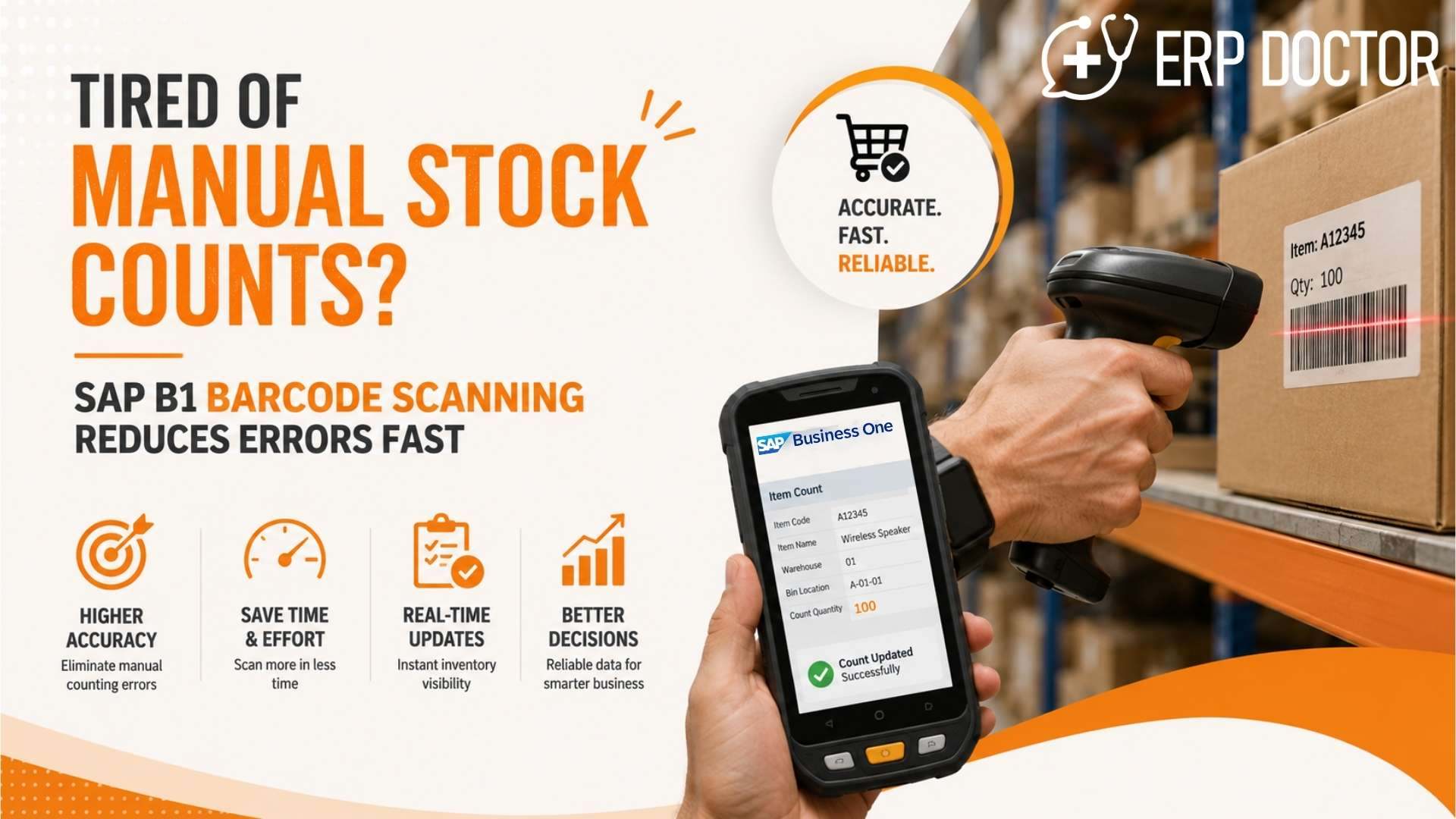
Tired of Manual Stock Counts? SAP B1 Barcode Scanning Reduces Errors Fast
Error-Free Stock Counts with SAP B1 Barcode Scanning
Inventory accuracy rarely becomes a leadership priority when operations are running smoothly. It becomes a business problem when production slows because materials cannot be located, customer deliveries are delayed despite inventory appearing available, or finance discovers unexpected stock variances during month-end reconciliation.
Manual inventory counting creates a disconnect between physical inventory and ERP records. Every stock movement depends on someone recording information correctly, often after the work has already happened. As warehouses expand and inventory volumes increase, these delays compound into operational inefficiencies, financial inaccuracies, and poor decision-making.
SAP B1 Barcode capabilities eliminate this disconnect by capturing inventory transactions where they occur. Instead of updating SAP Business One after warehouse activities are complete, every scan updates inventory in real time, improving operational visibility and reducing manual intervention.
Why Manual Inventory Counting Creates Operational Risk
Manual stock counting introduces delays because physical inventory and ERP records are updated separately. As inventory transactions increase, maintaining accurate stock visibility becomes progressively more difficult.
Many organizations continue relying on spreadsheets, printed count sheets, handwritten warehouse logs, and manual ERP entries. Although these processes appear manageable initially, they create significant operational challenges as business complexity grows.
Common business impacts include:
- Inventory discrepancies between physical and system stock
- Duplicate data entry across warehouse and ERP teams
- Shipping delays caused by inaccurate inventory availability
- Production interruptions due to missing materials
- Longer month-end inventory reconciliation
- Reduced confidence in operational reporting
The problem is rarely employee performance. The real issue is that manual processes cannot consistently keep pace with modern inventory movement.
How SAP B1 Barcode Improves Inventory Accuracy
SAP B1 Barcode enables inventory transactions to be captured instantly through barcode scanning, ensuring inventory records remain synchronized with physical stock.
Rather than recording movements later, warehouse teams scan products during receiving, storage, transfers, picking, production, and dispatch. Every transaction immediately updates SAP Business One, significantly reducing the opportunity for human error.
A typical SAP Business One barcode solution supports:
- Goods Receipt
- Goods Issue
- Inventory Transfers
- Stock Counting
- Picking and Packing
- Production Material Consumption
- Finished Goods Receipt
- Delivery Verification
This continuous synchronization improves inventory integrity across the organization instead of only during periodic stock counts.
Real-Time Barcode Scanning Changes Warehouse Operations
The biggest operational advantage of real-time barcode scanning is visibility. Decision-makers no longer wait for inventory updates because the ERP reflects warehouse activity as it happens.
Warehouse teams benefit from simplified workflows while management gains immediate operational insight.
Business improvements include:
Faster Inventory Transactions
Scanning replaces repetitive manual data entry, reducing transaction time and allowing warehouse teams to process more inventory with fewer administrative tasks.
Improved Stock Accuracy
Every barcode scan validates the correct product, quantity, and transaction, minimizing recording mistakes that commonly occur during manual entry.
Better Warehouse Productivity
Employees spend less time completing paperwork and more time executing warehouse operations efficiently.
Immediate Inventory Visibility
Operations, procurement, production, finance, and sales all access the same updated inventory information inside SAP Business One.
Soft Consultation Opportunity
If inventory discrepancies continue affecting production schedules or customer deliveries, an inventory process assessment can often identify where manual workflows are introducing unnecessary delays before larger operational changes are considered.
Why SAP Business One Barcode Scanning Delivers Better Business Control
Inventory accuracy directly influences purchasing decisions, production planning, customer service, and financial reporting. SAP Business One barcode scanning improves all four by ensuring inventory data reflects actual warehouse activity.
Executives gain better control because inventory becomes a reliable operational asset rather than an uncertain estimate.
Organizations typically experience improvements in:
- Inventory count accuracy
- Warehouse productivity
- Order fulfillment speed
- Material traceability
- Inventory reconciliation time
- Financial reporting confidence
These improvements extend well beyond warehouse operations and influence overall business performance.
SAP B1 Inventory Barcode Across Every Inventory Process
A modern SAP B1 inventory barcode system supports far more than annual stock counting. It becomes part of every inventory movement throughout the business.
Typical barcode-enabled processes include:
Receiving
Products are scanned immediately upon arrival, eliminating delayed inventory updates.
Warehouse Put-Away
Items are assigned to correct storage locations while maintaining accurate warehouse mapping.
Internal Transfers
Warehouse-to-warehouse and bin-to-bin transfers update inventory instantly.
Production
Raw material consumption and finished goods receipt are captured automatically.
Picking and Dispatch
Order fulfillment becomes faster while reducing picking errors.
Cycle Counting
Regular inventory verification becomes faster without disrupting warehouse operations.
Choosing the Right SAP Business One Barcode Solution
Not every warehouse operates the same way. A successful SAP Business One barcode solution should adapt to existing operational workflows rather than forcing organizations into rigid processes.
When evaluating barcode capabilities, leadership teams should consider:
- Native SAP Business One integration
- Mobile barcode devices
- Offline scanning capability where required
- Multi-warehouse support
- Batch and serial number tracking
- Role-based user access
- Fast synchronization with SAP
- Scalability for future warehouse expansion
Equally important is Support for customized barcode formats. Many businesses require industry-specific labels, internal item codes, customer-specific barcodes, or regulatory barcode standards. The barcode solution should accommodate these requirements without creating unnecessary customization complexity.
Soft Consultation Opportunity
Before investing in additional warehouse software, many organizations benefit from reviewing whether their current SAP Business One environment can support barcode-enabled workflows with minimal operational disruption.
Barcode Inventory Management Software Supports Long-Term Growth
As businesses expand, manual inventory processes become increasingly expensive. More warehouses, more products, and more transactions multiply the risk of inventory inaccuracies.
Barcode Inventory Management Software provides the operational foundation needed to support growth without proportionally increasing manual workload.
Growth advantages include:
- Higher warehouse throughput
- Lower inventory adjustment costs
- Faster employee onboarding
- Standardized inventory processes
- Better audit readiness
- Consistent inventory governance across locations
Instead of adding administrative effort, organizations improve efficiency while scaling operations.
Business Outcomes That Matter to Executive Leadership
For CEOs, COOs, CIOs, and Operations Leaders, warehouse technology investments must produce measurable business outcomes—not simply faster scanning.
Implementing SAP B1 Barcode capabilities helps organizations reduce inventory-related operational risk while improving productivity, visibility, and financial accuracy.
Key executive outcomes include:
- Reduced inventory carrying costs through better accuracy
- Faster customer order fulfillment
- Lower operational risk from inventory discrepancies
- Improved production planning
- Shorter inventory reconciliation cycles
- Stronger financial reporting confidence
- Better decision-making using real-time inventory data
- Scalable warehouse operations that support business growth
The return extends beyond warehouse efficiency. It improves the reliability of information that leadership uses to run the business.
Conclusion
Manual inventory counting may appear inexpensive, but the operational cost of inaccurate inventory is often much higher. Delayed shipments, production interruptions, inventory write-offs, and lengthy reconciliations all reduce business performance.
By implementing SAP B1 Barcode, organizations create a connected inventory environment where warehouse activity, ERP data, and executive reporting remain synchronized in real time. The result is faster operations, fewer errors, and stronger business control.
Frequently Asked Questions
1. How does SAP B1 Barcode reduce inventory counting time?
Barcode scanning eliminates manual recording during inventory counts. Each scan updates inventory immediately, allowing warehouse teams to complete stock verification significantly faster while reducing administrative work.
2. Can SAP Business One barcode scanning support multiple warehouses?
Yes. SAP Business One barcode scanning can manage inventory transactions across multiple warehouses while maintaining synchronized inventory visibility within a single ERP environment. This helps organizations standardize inventory operations across locations.
3. Does SAP B1 Barcode support batch and serial number tracking?
Yes. Barcode scanning can capture batch numbers, serial numbers, and related inventory information during receiving, production, transfers, and dispatch. This improves traceability and simplifies product recalls or compliance reporting.
4. What types of barcode scanners work with SAP Business One barcode solutions?
Most enterprise-grade handheld mobile computers, industrial barcode scanners, Android devices, and rugged warehouse terminals can be integrated depending on the selected solution and operational requirements.
5. Can barcode scanning improve inventory audit readiness?
Yes. Since every transaction is recorded immediately, organizations maintain more accurate inventory histories and transaction records, making inventory audits faster and easier to complete.
6. Is Support for customized barcode available for unique business requirements?
Yes. Many organizations require customer-specific labels, internal product codes, industry standards, or regulatory barcode formats. A capable solution should provide Support for customized barcode structures without disrupting existing ERP processes.
7. How does real-time barcode scanning improve production planning?
Because inventory updates occur instantly, production planners work with accurate material availability. This reduces unexpected shortages, prevents scheduling delays, and improves manufacturing efficiency.
8. Can Barcode Inventory Management Software reduce inventory write-offs?
Yes. Improved inventory accuracy minimizes stock discrepancies, duplicate records, and misplaced inventory, helping organizations reduce adjustment entries and inventory write-offs over time.
9. How quickly can employees adopt SAP Business One barcode scanning?
Most warehouse employees adapt quickly because scanning workflows are generally simpler than manual data entry. Training focuses on operational procedures rather than complex ERP transactions.
10. What should executives evaluate before implementing SAP B1 Barcode?
Leadership should assess current inventory accuracy, warehouse workflows, ERP integration requirements, scalability, reporting needs, device compatibility, and long-term operational objectives. A structured assessment ensures barcode technology delivers measurable business value rather than simply digitizing existing manual processes.
Let’s build a smarter, more efficient business together. Book your free consultation today.